Organizations running HashiCorp Vault face persistent operational questions:
What secrets and certificates are currently deployed?
What metadata and context exist for each credential?
Which items require immediate attention or remediation?
Historically, teams answered these questions through log aggregation or third-party visibility tools in HCP Vault Dedicated. A new beta feature set changes that approach: certificates and secrets inventory reporting now provides native visibility and reporting directly within HCP Vault.
These dashboards surface access patterns, usage metrics, and policy compliance data to streamline audit preparation and risk assessment. Here's what the new capabilities deliver.
Why secrets and certificate reporting matters
Security and platform teams need clear answers about credential inventory: what exists, where it's deployed, who owns it, and whether it meets policy requirements. When this information lives in disconnected systems, risk assessment becomes guesswork and audits turn into emergency projects.
Certificate tracking alone can consume weeks or months as teams manually reconcile records across disparate platforms. Many organizations build custom integrations or deploy multiple point solutions just to compile audit evidence, diverting resources from strategic security initiatives.
This challenge intensifies in regulated sectors including finance, insurance, and government. Compliance frameworks increasingly demand demonstrable control over sensitive credentials and dependent systems. Without reliable reporting infrastructure, proving that control becomes a recurring operational burden.
Centralizing secrets and certificate management on a unified platform with standardized workflows represents the first step toward solving this problem. But centralization alone isn't sufficient—the platform must also provide robust native reporting, or teams remain stuck in manual processes.
Core inventory reporting capabilities
The new reporting features provide comprehensive visibility into Vault-managed secrets with granular drill-down capabilities:
Complete inventory visibility: View all secrets, their storage locations, and distribution across environments
Lifecycle intelligence:
Flag high-risk, long-lived credentials
Track last access and rotation timestamps
Use data-driven insights to inform lifecycle policies
Flexible filtering: Query secrets by type, distribution pattern, and access behavior to identify risk areas
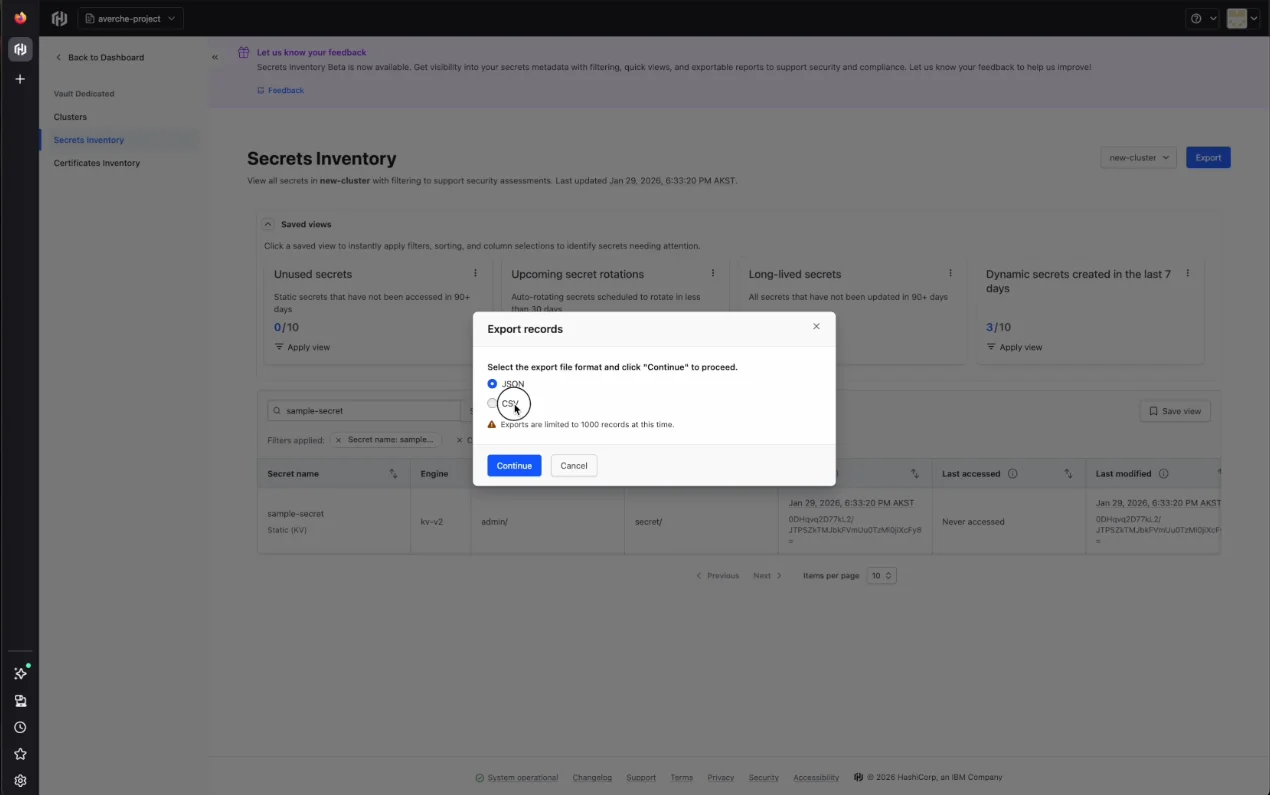
Export functionality: Generate CSV and JSON reports for compliance workflows, SIEM integration, or GRC platforms like ServiceNow
These capabilities move beyond passive dashboards to deliver actionable intelligence. Security teams can shift from reactive firefighting to proactive risk identification and streamlined compliance demonstration.
Platform availability and supported engines
Secrets inventory reporting is available on Azure and AWS clusters for HCP Vault Dedicated customers. Both new and existing clusters can enable reporting through the management interface.
Supported secrets engines include:
Key-Value secrets engine v1
Key-Value secrets engine v2
Database secrets engine
PKI secrets engine
Certificates inventory reporting covers:
SCEP
ACME
Vault self-signed certificates
Additional credential types will be supported in upcoming releases.
Who benefits from inventory reporting
These features target roles operating at the intersection of security operations and governance:
CISOs preparing board-level risk presentations need consolidated, executive-ready views
GRC analysts compiling audit evidence require efficient data collection without manual repository scanning
Security engineers remediating credential sprawl need to quickly distinguish active credentials from safe-to-decommission items (complemented by HCP Vault Radar for discovery workflows)
By surfacing this data natively within Vault, teams eliminate the need for custom tooling or incomplete audit log analysis to understand their secrets posture.
Interface walkthrough
HCP Vault Dedicated provides two inventory reporting interfaces:
Secrets Inventory
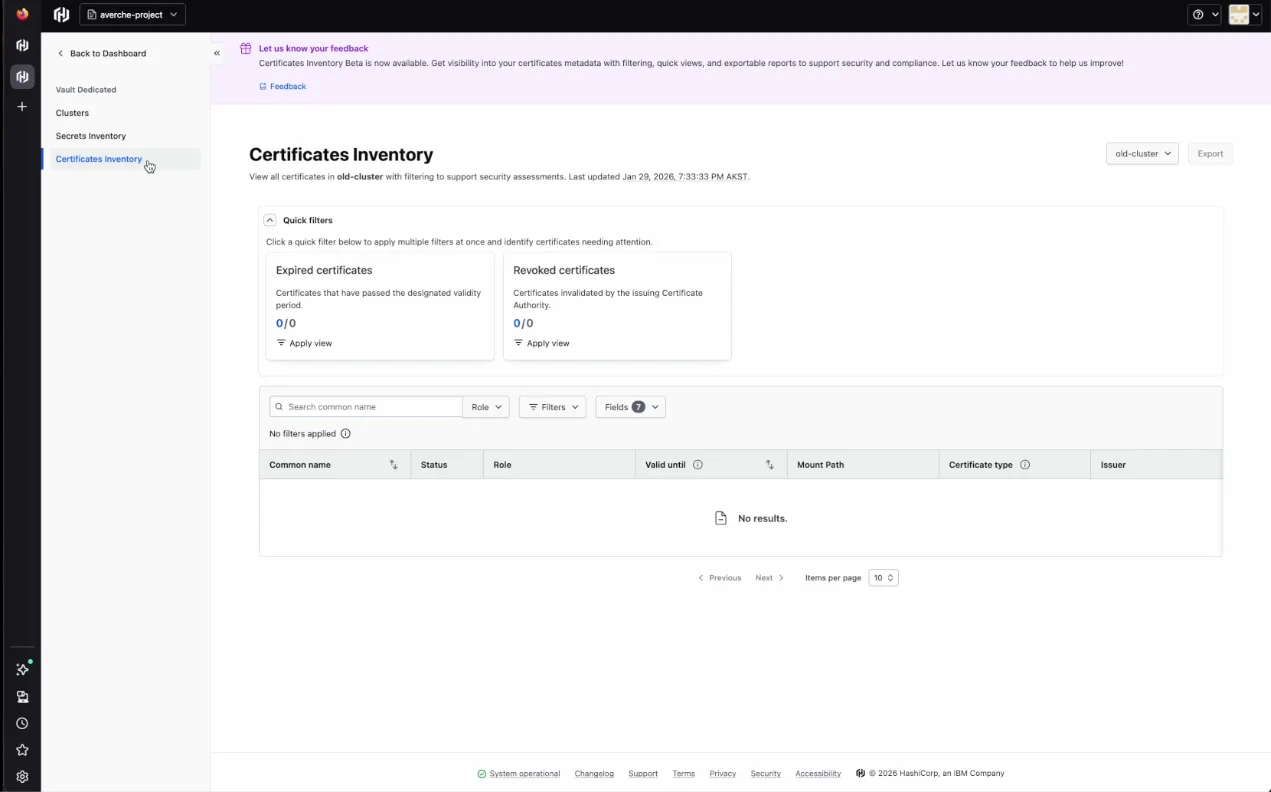
Certificates Inventory
Secrets inventory interface
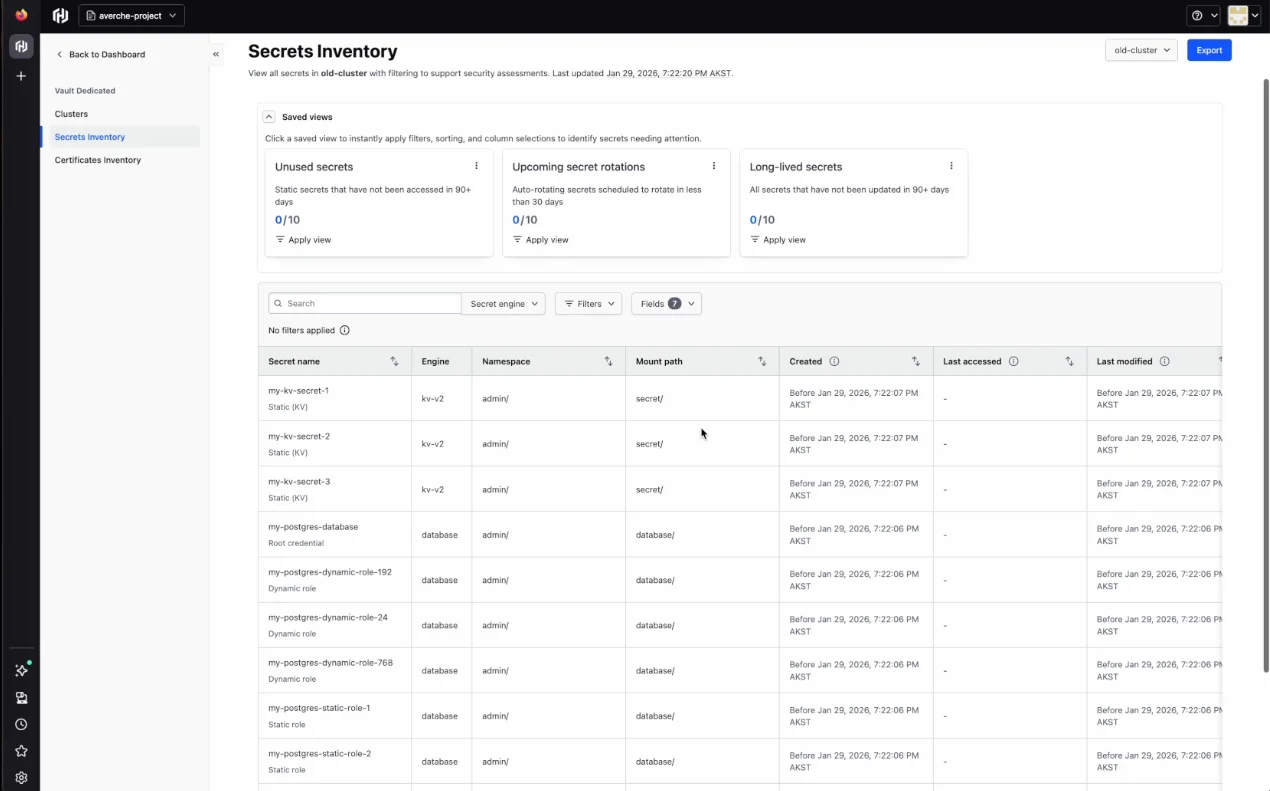
The secrets inventory displays each credential with name, type, engine, mount path, creation date, last access date, and modification date. Users can create saved views with custom filters, sorting rules, and column selections. Three preconfigured views ship with the feature:
Unused secrets: Static secrets with no access activity in 90+ days
Upcoming secret rotations: Auto-rotating secrets scheduled to rotate within 30 days
Long-lived secrets: All secrets unchanged for 90+ days
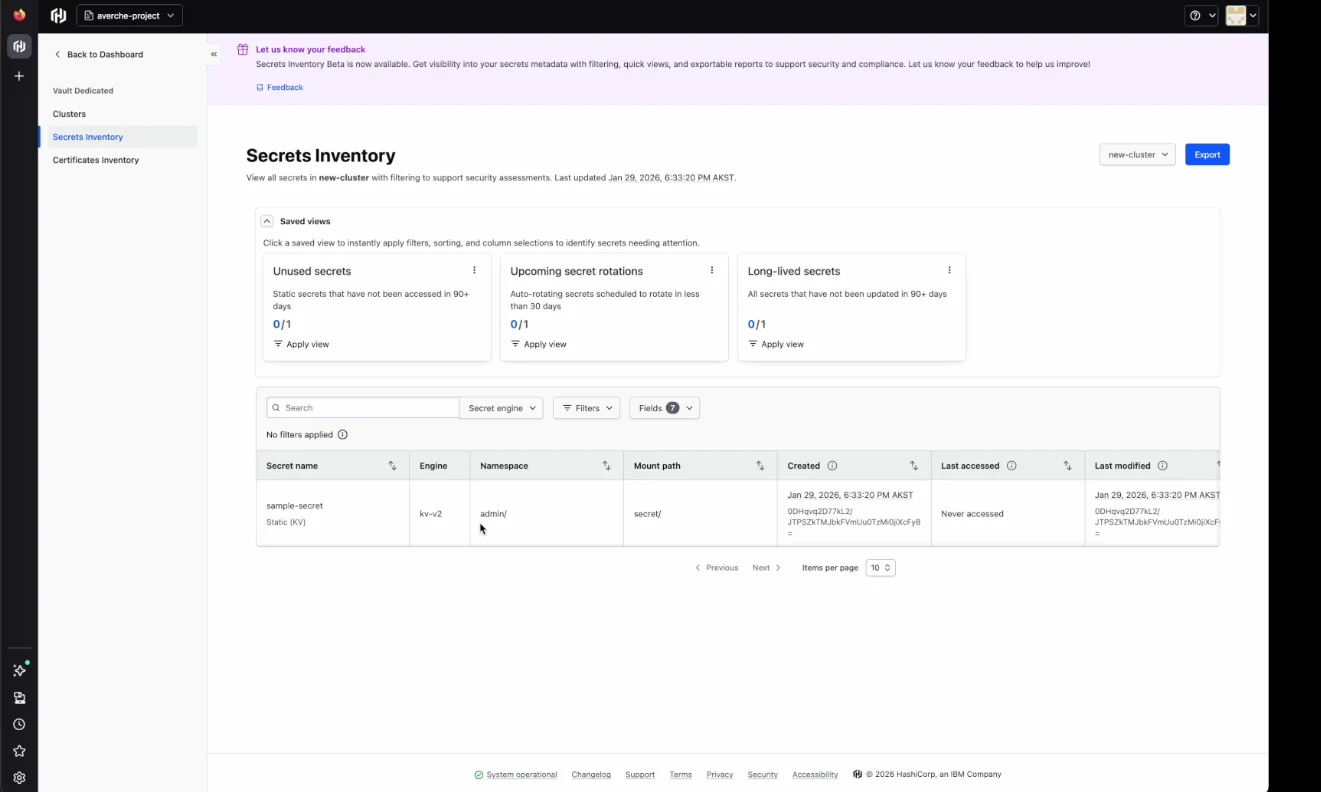
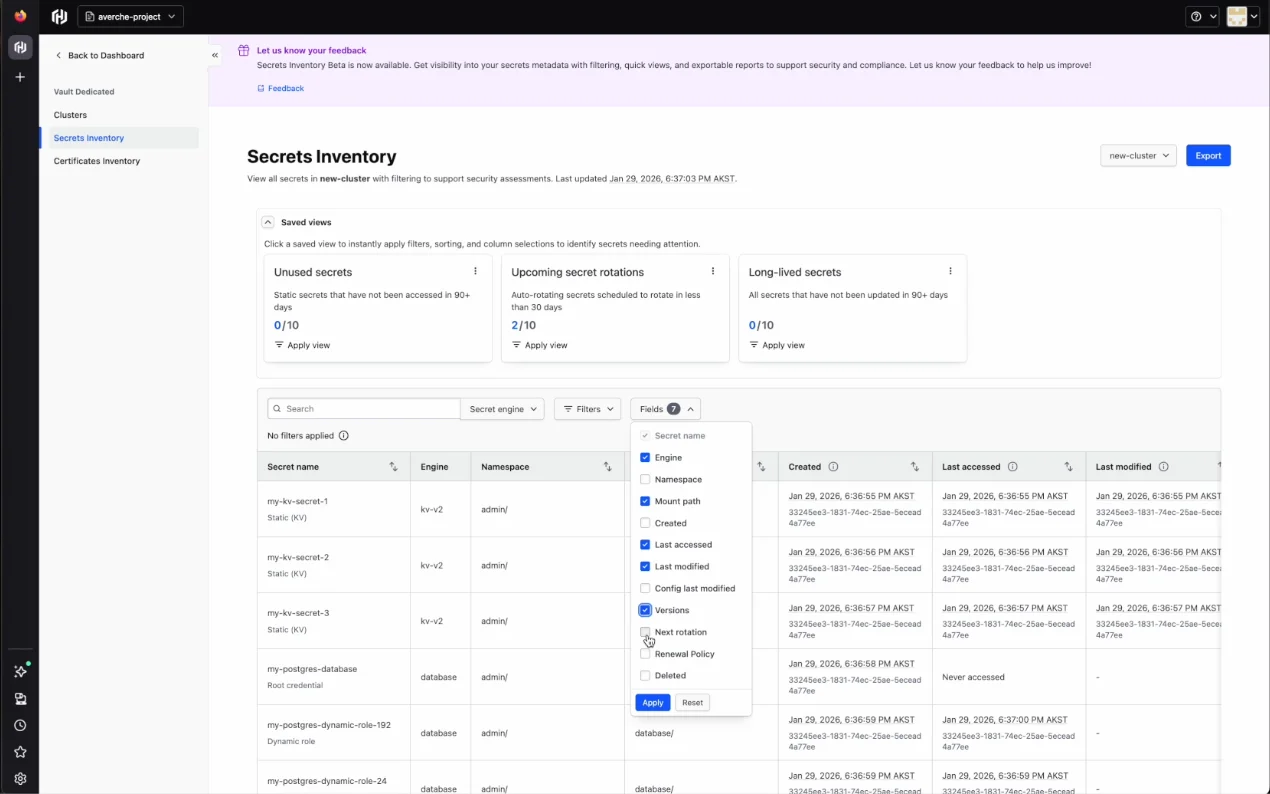
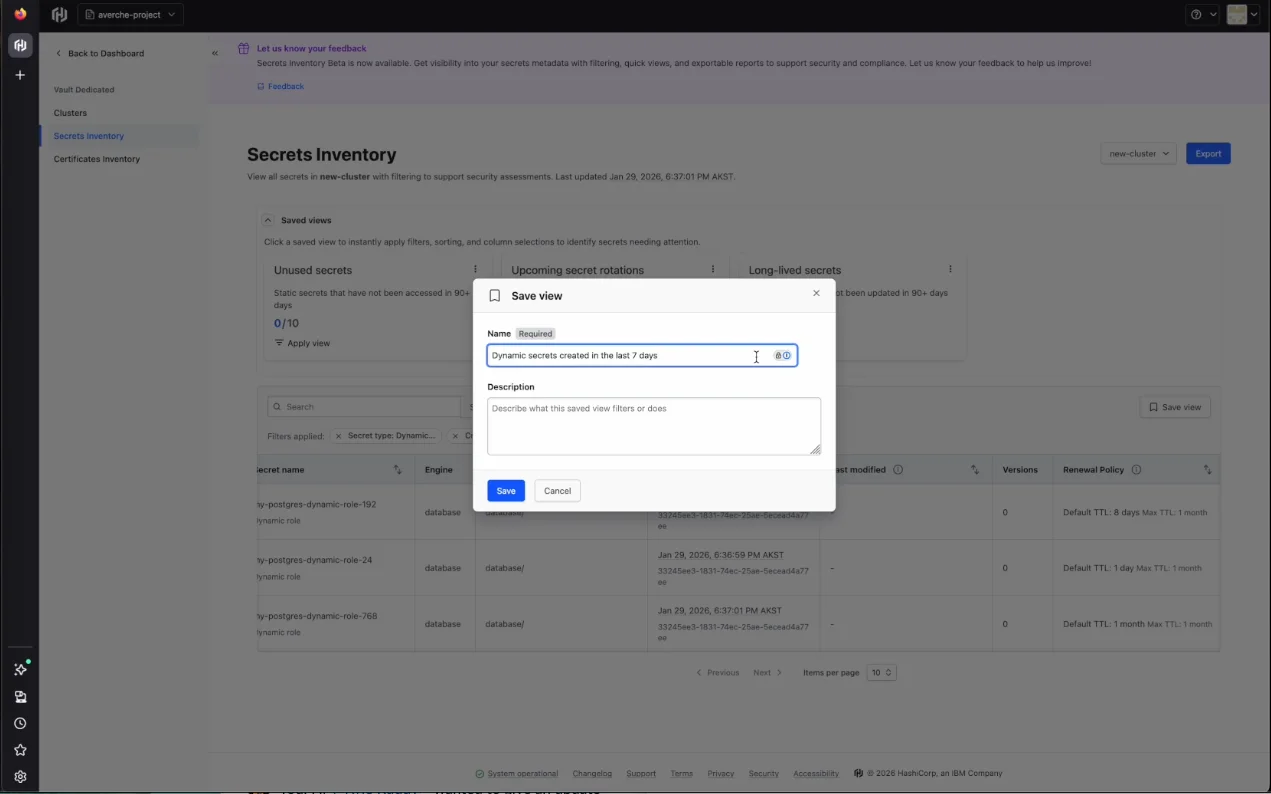
Views can be customized by toggling fields and applying filters, then saved for reuse. A search bar enables direct lookup of specific secrets by name.
Data can be exported in JSON or CSV format for integration with external tools.
Certificates inventory interface
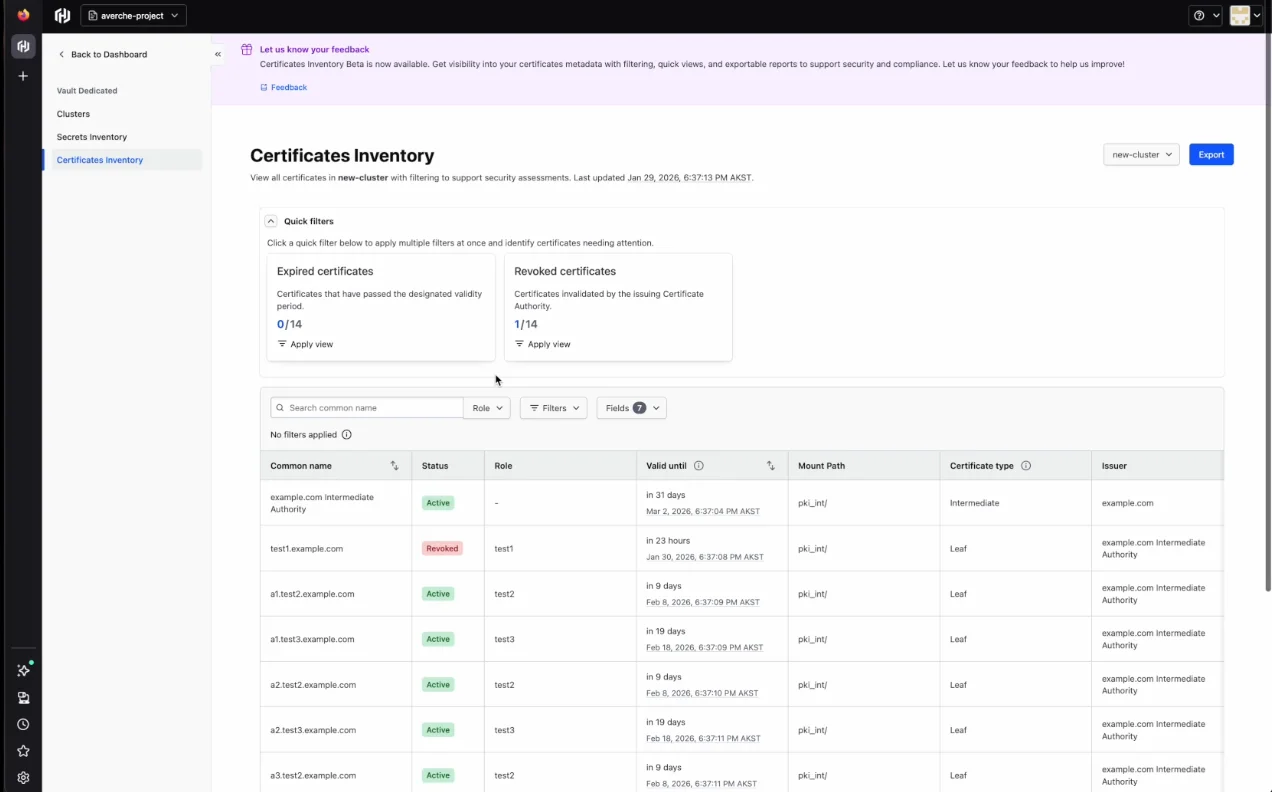
The certificates inventory shows each certificate's name, status, role, validity period, mount path, type, and issuer. Two quick filters come preconfigured:
Expired certificates: Certificates past their validity period
Revoked certificates: Certificates invalidated by the issuing CA
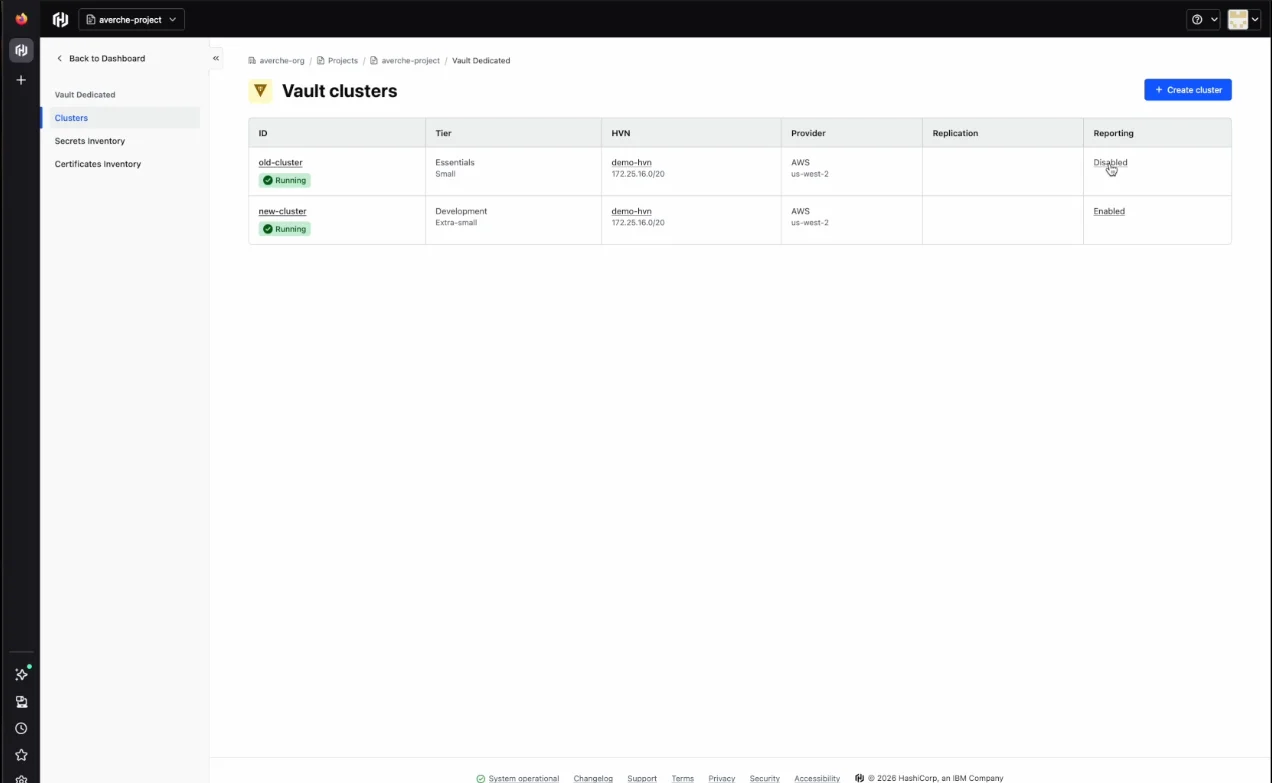
In the Clusters tab, a reporting column indicates whether reporting is enabled or disabled for each cluster. Clusters can be deployed without immediate reporting enablement, though enabling at deployment is recommended. Delayed enablement creates a gap where timestamps only begin recording from the enablement point forward.
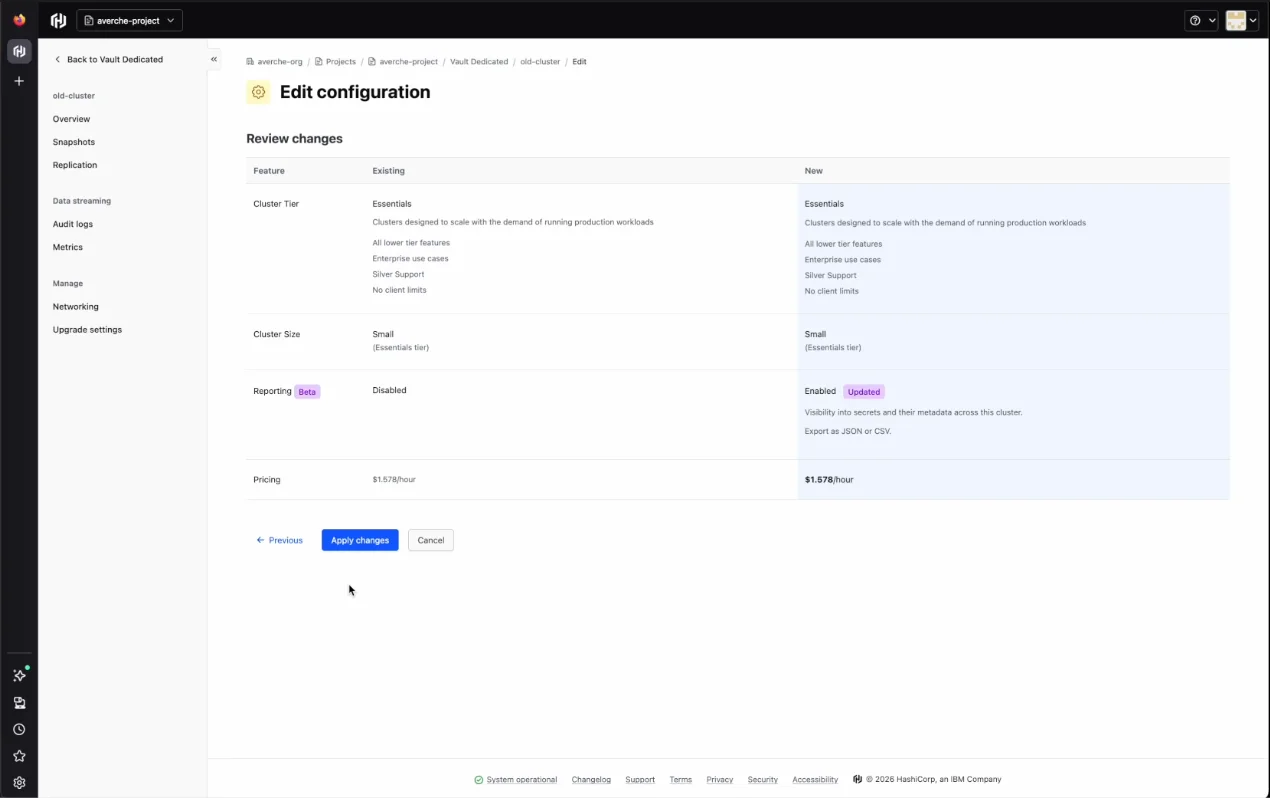
Enable reporting via the cluster settings and apply changes
After the initial cluster scan completes, inventory data populates with timestamps from the enablement moment
Only events occurring after enablement are recorded
For certificates inventory specifically, only newly issued and newly expired certificates will have event data, since certificates aren't stored in Vault
Enabling inventory reporting
Certificates and secrets inventory reporting is available in public beta for HCP Vault Dedicated Plus tier customers. Support for Vault Enterprise self-managed deployments is planned for future releases. Enable reporting through the Active Resources page in HCP or directly on HCP Vault Dedicated clusters.
For organizations operating under security and compliance mandates, this feature improves credential visibility and simplifies audit evidence collection.